
Blog

All of the blog posts contained within The Tech Teapot with the most recent at the top.

Open source network management comparison: Introduction

One side effect of the increased competition in open source network management is that it is becoming increasingly hard to choose which tool is right for you.

With that in mind I intend to create a comparison featuring the best known open source tools to make the process of choosing the right tool a little bit easier.

I’ll publish the comparison in tranches so that, by the end of it, a comprehensive comparison is available. The first tranches will present more general information. As the series progresses more detailed information will be presented.
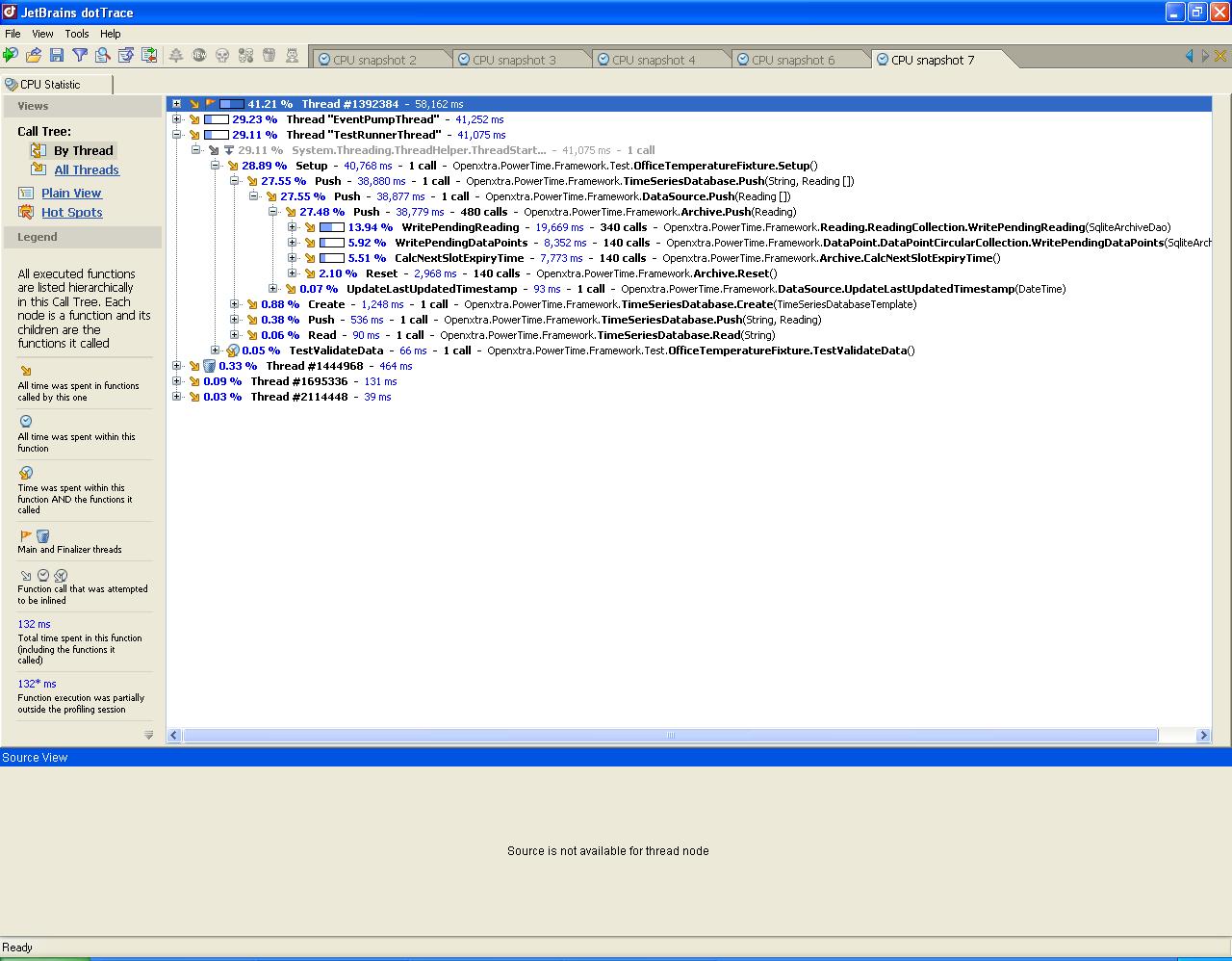
Code performance tuning in .NET

One of the things I’ve been busy with over the last two weeks has been to re-write the backend to PowerTime. Binary files are a nightmare to program, debug and maintain. With that in mind I’ve re-coded the backend to use SQLite through ADO.NET.

New 6 Point Checklist for Cables

A couple of weeks ago BASEC (The British Approvals Service for Cables) issued a 6 point checklist pre-empting the release of the 17th Edition Wiring Regulations in July. They are alerting cable installers that the need to ensure the correct specification of cables for major projects has now become critical.

Dr Jeremy Hodge, BASEC’s Chief Executive, said: “For any size of project, the last piece of news a contractor or specifier wants is that cabling has to be stripped out because the system is not working properly, there is a safety implication or the wrong cable has been installed.”

Firefox 3 enhanced SSL certificate support

Firefox now has full enhanced SSL certificate support at last with the arrival of version 3. Enhanced SSL certificates verify that a website is owned by whomever claims to own it. Very useful in the largely anonymous Internet.

Firefox SSL Certificate Information

Expand the image above to see what it looks like. In the secure part of a site, for instance during checkout, you will now see a green area at the start of the Navigation Toolbar. The green area lists the verified company or organisation name and the country to which the secure SSL certificate has been assigned. If you hover your mouse over the green area a tool tip is displayed showing who authenticated the certificate.

PowerTime now on Google Code

PowerTime is now available on Google Code. You can even browse the code without having to download anything.

The only problem I ran into was the size of the ECAD data set exceeded the quota given to new projects. I’ve now split the ECAD data set so that it is available for download but isn’t versioned inside Subversion.

I’ll be back onto PowerTime real soon now. Just having a rest doing some web work at the moment. Expect a first beta by the end of June.